 Team Bridge
How to host a Christmas party on Zoom
Zoom gives you the faces; the games run next to it. Paste one link in the Zoom chat, and everyone plays Christmas games in a browser tab or on their phone while the call stays open for the laughing. No Zoom app to install and no screen sharing for the games.
Scribble, Fake Artist and seven more games are free to play. Trivia, Melody Match and the other premium games come with one pass for the whole party.
Updated
What your team sees next to Zoom
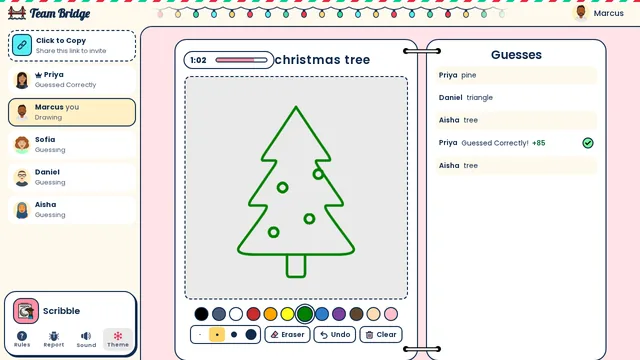
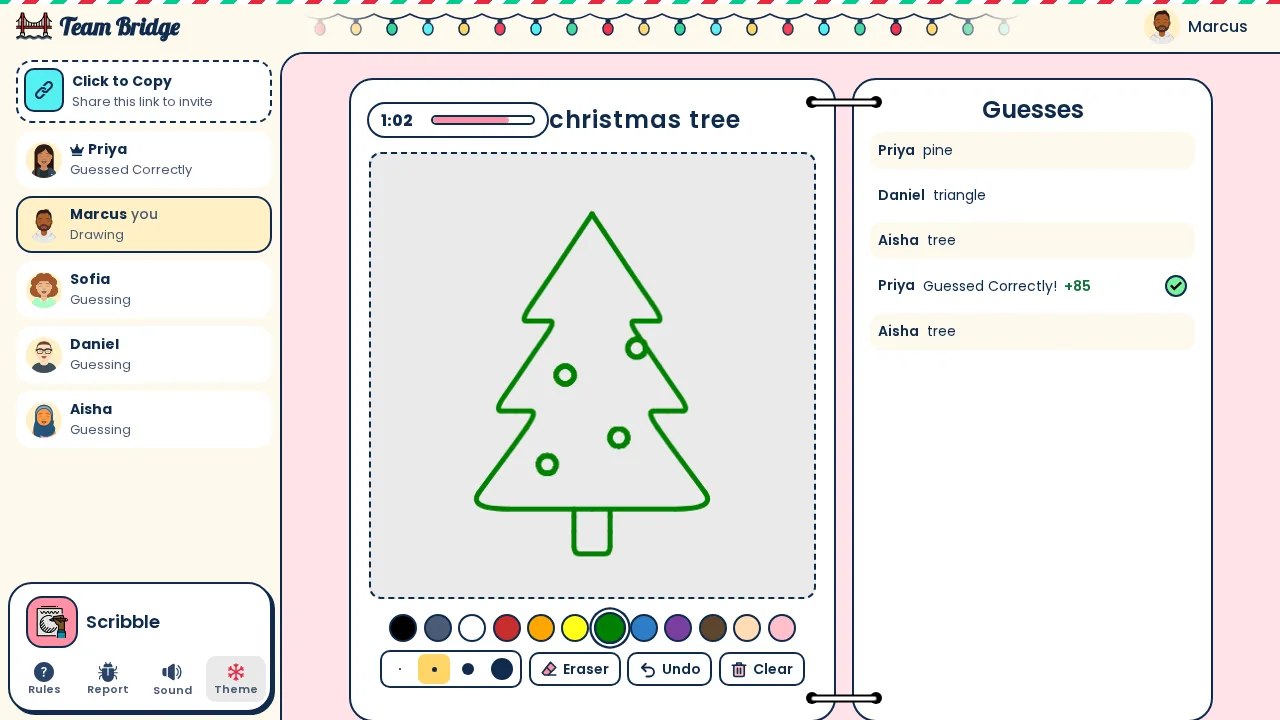
Scribble: Christmas words in Scribble: Marcus draws a Christmas tree while Priya has already guessed it 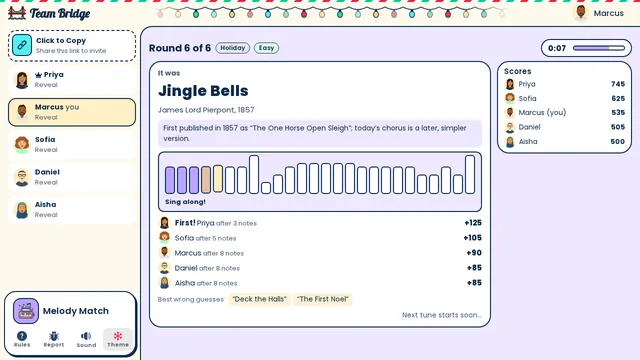
Melody Match: The reveal: it was Jingle Bells, from 1857. Priya named it after 3 notes, and the sing-along plays the whole phrase 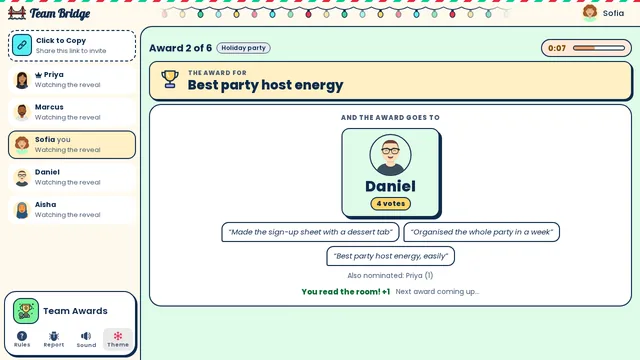
Team Awards: Holiday party awards: Daniel wins “Best party host energy” with 4 votes and three anonymous reasons


A 45-minute Christmas party on Zoom
For a team of 5 to 50 in one Zoom meeting. Keep gallery view on: the reactions are half the fun.
- 0–5 min
Join from the Zoom chat
Paste the lobby link in the Zoom chat (set the chat to everyone). People open it in a browser and pick a name.
- 5–17 min
Warm up: Scribble
The Holiday (Christmas & winter) words, one round. Everyone draws and guesses on their own screen, no Zoom whiteboard needed; in a big call 12 players draw.
- 17–25 min
Music round: Melody Match
The Holiday & carols pack: carols play a few notes at a time in every browser, so nobody shares sound over Zoom.
- 25–35 min
Christmas quiz: Trivia
Ten questions from the Holiday (Christmas & winter) category, with a leaderboard after each one.
- 35–45 min
Close: Team Awards
Holiday party awards. Share your screen for the award cards, then take the gallery screenshot.
Invite text for the Zoom meeting
Paste it in the Zoom invite. On the day, post the lobby link in the Zoom chat.
Subject: Team Christmas party on Zoom (45 min)
Join the Zoom link below. We’ll play Christmas Pictionary, a carol quiz, holiday trivia and end-of-year awards.
When the game link appears in the Zoom chat, open it on your laptop or phone. Nothing to install. Ugly sweaters welcome, cameras optional.
Christmas games to play on Zoom

Scribble
FreeDraw-and-guess with the Holiday (Christmas & winter) words.
 3–100 players
 5–15 min

Melody Match
PremiumName the carol: the tunes play in every browser.
3–25 players8–12 min
Trivia
PremiumA live Christmas quiz, with a leaderboard.
2–100 players5–10 min
Team Awards
PremiumHoliday party awards the team votes on.
3–50 players8–12 min
Fake Artist
FreeOne Christmas drawing, one faker.
4–200 players5–20 min
Top Answers
PremiumSurvey says, with Holiday (Christmas & winter) prompts.
3–100 players10–15 min
Zoom settings to check
1. Chat open to everyone
In the meeting, set who can chat to Everyone, so the lobby link reaches all participants.
2. Screen sharing for the host
You only share your screen for the standings and the award cards. Everyone else plays on their own screen.
3. Breakout rooms, if you want them
For small-group games, turn on breakout rooms in your Zoom settings before the meeting, and open one lobby per room.
4. Gallery view
Ask people to switch to gallery view; reactions to a bad drawing are better than the drawing.
What it costs
No Zoom add-on to buy and nothing per person.
The free games
Nine games are free to play, including Scribble, Fake Artist, Spy Words, Two Truths, One Lie and Type Racer. You can start 5 free games for the group, whoever hosts, and 1 more 6 days after the last one. Each game you start uses one; the free games alone fill a 30-minute party.
Team Event Pass: $199
Every game, the holiday packs included, for up to 200 players for 7 days. One payment for the whole party, not per person.
Only the host pays
Guests join from the link with a name, no account and no card. Buy it on the day of the party: the 7 days start when you pay.
Compared with a hosted party
Hosted virtual holiday parties with a live facilitator usually cost about $20 to $40 a person and are booked days ahead.
Zoom tips for a Christmas party
Phones work
People can keep Zoom on the laptop and play on the phone; the games fit a phone screen.
Zoom backgrounds
Ask for a festive virtual background as the dress code; it costs nothing and fills the gallery.
Pick the date early
Most teams hold their holiday call in the two weeks before the break; in 2026, the last Friday before Christmas is Friday, December 18.
Free Zoom?
The games don’t depend on Zoom’s plan, but a free Zoom account limits the length of group meetings, so check yours for a 45-minute party.
Questions
How do you host a Christmas party on Zoom for work?
Book a 45-minute Zoom meeting, open a game on TeamBridge and paste the lobby link in the Zoom chat. Everyone plays in a browser tab next to Zoom: Scribble with the Christmas words, Melody Match, Trivia and Team Awards fill the 45 minutes.
Do we need to share screens on Zoom?
No. Everyone sees the game on their own screen. The host shares only for the final standings, if at all.
Can we play Christmas music on Zoom without sound problems?
Yes: Melody Match plays the tunes in each player’s own browser, so nobody shares computer audio over Zoom.
What Christmas games can you play on Zoom with coworkers?
Scribble with the Christmas words, Fake Artist, Trivia with the Holiday (Christmas & winter) category, Melody Match with the Holiday & carols pack and Team Awards with the Holiday party awards.
Do guests need an account or a download?
No. The host signs in and shares the link; everyone else picks a name and plays in the browser, on a laptop or a phone.
How much does it cost?
The free games cost nothing: 5 free games for the group, whoever hosts, and 1 more 6 days after the last one. The $199 Team Event Pass adds every game for up to 200 players for 7 days, one payment for the whole party; only the host pays.
Games to play on Zoom with coworkersChristmas games for work on Zoom or TeamsChristmas party on Microsoft TeamsFree games for a work Zoom holiday partyVirtual Christmas party ideas for remote employees
Ready for your next team social?
Share one link. Everyone plays in the browser.
Games to play on Microsoft TeamsOffice party gamesTeam building games for workIcebreaker games for meetingsA skribbl.io alternative for workA Gartic Phone alternative for workVirtual team triviaGames to play on Zoom with coworkersA Jackbox alternative for workPictionary on Microsoft TeamsA Kahoot alternative for team buildingFun Friday games for remote teamsA QuizBreaker alternative you play liveEnd of year team building gamesTeam building games for large groupsHoliday party games for large groupsIcebreakers for large groupsIcebreaker questions for workThis or that questions for workTeam building activities for workEmployee engagement ideasNew hire welcome gamesHoliday trivia for workChristmas Pictionary onlineHoliday icebreakers for workChristmas awards for workVirtual holiday bingo for workChristmas music quiz for workA Confetti alternative you host yourselfA Games for Work replacement for TeamsA Water Cooler Trivia alternative, played liveCompare team building options