 Team Bridge
Two Truths and a Lie on Microsoft Teams
Two Truths and a Lie, made for a Teams meeting. Paste one link in the meeting chat and everyone writes two true facts and one lie about themselves at the same time. Then each person’s statements come up in turn, the whole call votes for the lie, and the reveal is their cue to tell the story. It’s free.
Two Truths, One Lie is free, no sign-up: you get a link to paste in the meeting chat, and everyone joins in the browser.

Two Truths, One Lie in a Teams call
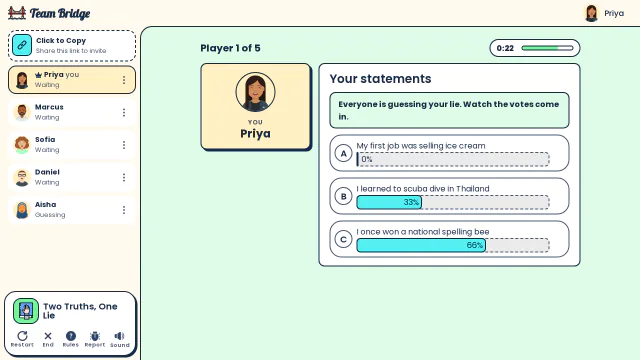
Two Truths, One Lie: Priya watches the votes come in on her three statements: most think the spelling bee is her lie 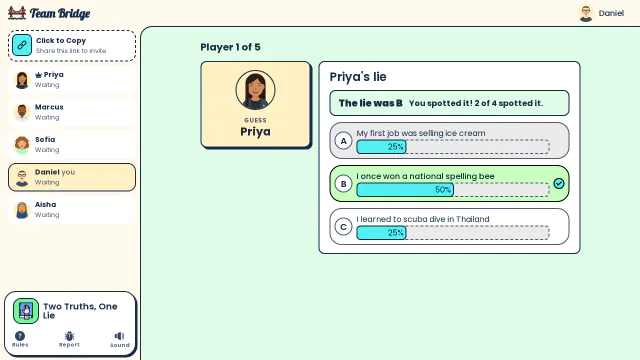
Two Truths, One Lie: The reveal: Priya never won a national spelling bee, and Daniel was one of the two who spotted it 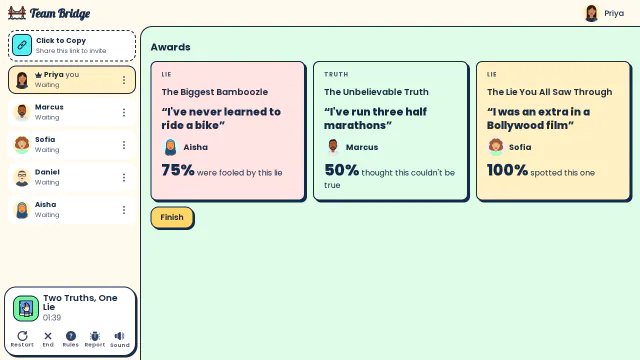
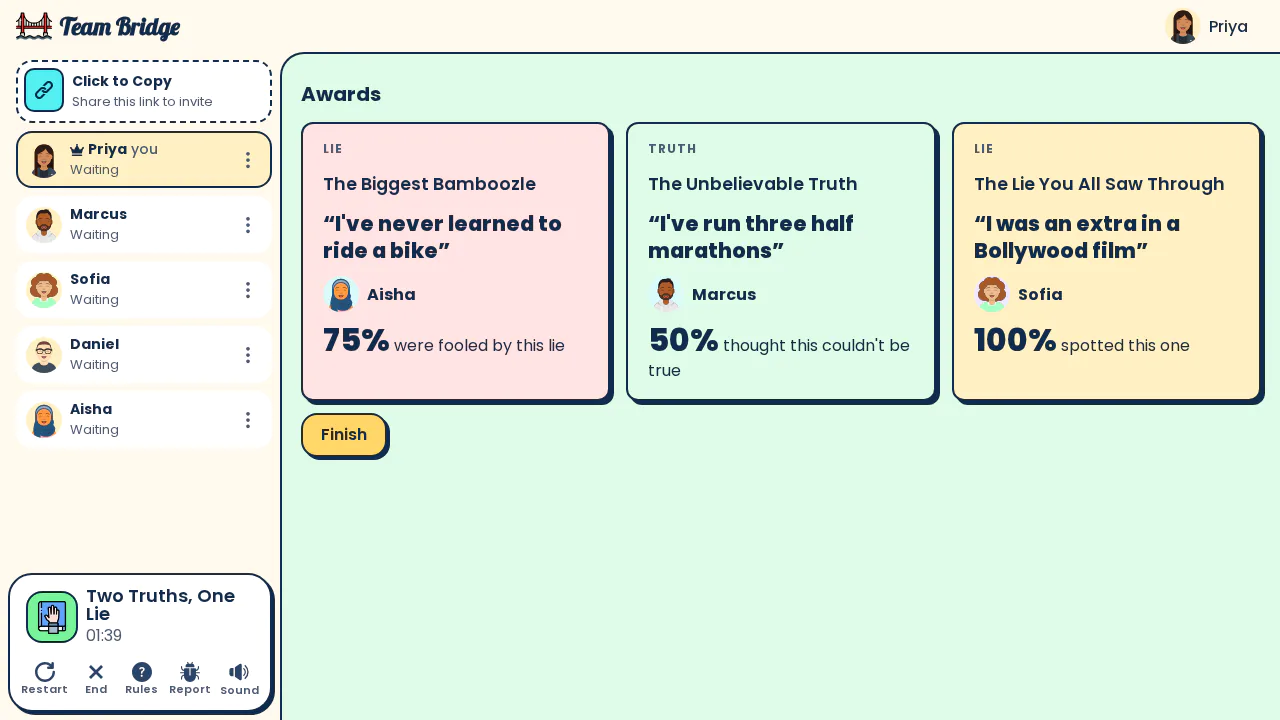
Two Truths, One Lie: The awards: Aisha’s “I’ve never learned to ride a bike” fooled 75% of the team, Marcus’s half marathons were the unbelievable truth


How to play Two Truths, One Lie in a Teams meeting
- Step 1
Open a room
Click “Start a room for my team”. You get a room for Two Truths, One Lie with its own link. Nothing to download, and nothing for IT to approve.
- Step 2
Paste the link in the meeting chat
In your Teams meeting, paste the link in the chat. It works the same in a channel meeting, a scheduled meeting or a Meet now call.
- Step 3
Everyone joins in the browser
People click the link, pick a name and they’re in, on a laptop or a phone. The call keeps running for the talking. Everyone writes their three statements at once, then the call votes for each person’s lie.
Two Truths, One Lie on Teams at a glance
| Players | 4–20 players |
|---|---|
| Length | 5–10 min |
| Cost | Free |
| Sign-up | None: open the room and play; players pick a name |
| In Teams | A link in the meeting chat: no Teams app, no download, no screen sharing |
| Also works in | Zoom, Google Meet, Webex and any other video call, on a laptop or a phone |
More games for the same Teams call

Who Said That?
PremiumAnonymous answers to fun prompts, then guess who wrote each one.
 3–30 players
 8–15 min

Hot Seat
FreeOne person ranks five things; the team guesses the order.
3–25 players8–15 min
This or That
PremiumPick one of two and see how the team split.
2–100 players5–10 min
Scribble
FreeClassic draw and guess for the whole call.
3–100 players5–15 min
Tips for Two Truths, One Lie on a Teams call
A good first meeting game
It works for a new team or a new joiner’s first week: everyone shares a little, and nobody holds the floor for long.
More than 20 people? Use breakout rooms
Two Truths, One Lie takes 4 to 20 players in one lobby. Open one room per Teams breakout room and paste each link in its room.
No screen sharing
Everyone sees the game on their own screen, so the call can stay in gallery view and everyone sees everyone’s reactions.
Guests and other companies
Anyone with the link can play, including guests from outside your organization. Players don’t need a Teams or TeamBridge account.
Questions
Can you play Two Truths, One Lie on Microsoft Teams?
Yes. Open a room on TeamBridge and paste its link in the Teams meeting chat. Everyone plays in the browser while the call keeps running, and nobody has to share their screen. There’s no Teams app to install: it’s a link.
How many people can play Two Truths and a Lie on Teams?
Two Truths, One Lie takes 4 to 20 players in one lobby. Each turn takes about 30 seconds of voting plus the story, so a team of 8 is done in about 10 minutes.
What are good Two Truths and a Lie ideas for work?
Keep it light and easy to share: a first job, a hidden talent, a place you’ve lived, a food you can’t stand. The best lies sound ordinary and the best truths sound made up.
Does it work on Zoom and Google Meet too?
Yes. The game runs in a browser tab, so it works next to any video call, and on phones.
Is Two Truths, One Lie free? Do players need an account?
Two Truths, One Lie is free, no sign-up: you get a link to paste in the meeting chat, and everyone joins in the browser.
How to play Two Truths, One LieFake Artist on Microsoft TeamsDraw Battle on Microsoft TeamsWord Bomb on Microsoft TeamsForbidden Words on Microsoft TeamsGames to play on Microsoft Teams
Ready for your next Teams meeting?
Open a room, paste the link in the meeting chat, and play.
Games to play on Microsoft TeamsOffice party gamesTeam building games for workIcebreaker games for meetingsA skribbl.io alternative for workA Gartic Phone alternative for workVirtual team triviaGames to play on Zoom with coworkersA Jackbox alternative for workPictionary on Microsoft TeamsA Kahoot alternative for team buildingFun Friday games for remote teamsA QuizBreaker alternative you play liveEnd of year team building gamesTeam building games for large groupsHoliday party games for large groupsIcebreakers for large groupsIcebreaker questions for workThis or that questions for workTeam building activities for workEmployee engagement ideasNew hire welcome gamesHoliday trivia for workChristmas Pictionary onlineHoliday icebreakers for workChristmas awards for workVirtual holiday bingo for workChristmas music quiz for workA Confetti alternative you host yourselfA Games for Work replacement for TeamsA Water Cooler Trivia alternative, played liveCompare team building options