 Team Bridge
What are work-appropriate ways to celebrate Valentine’s Day virtually with your team?
Make it about appreciation, not romance: Team Awards with your own kind awards, Who Said That? with prompts about what people enjoy at work and a light Scribble round, all from one TeamBridge link in the Zoom, Teams or Meet chat, in work hours and optional. Valentine’s Day 2027 is a Sunday, so hold it on Friday, February 12; Scribble is free, and Team Awards and Who Said That? come with one TeamBridge pass for the whole team.
Scribble, Spy Words and the other free games cost nothing. Team Awards, Who Said That? and the other premium games come with one pass for the team.
Updated
An appreciation call on everyone’s screen
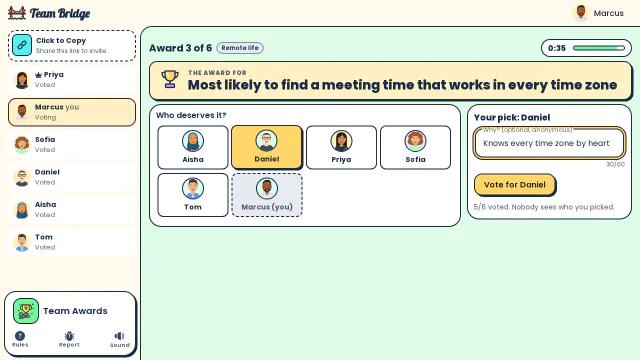
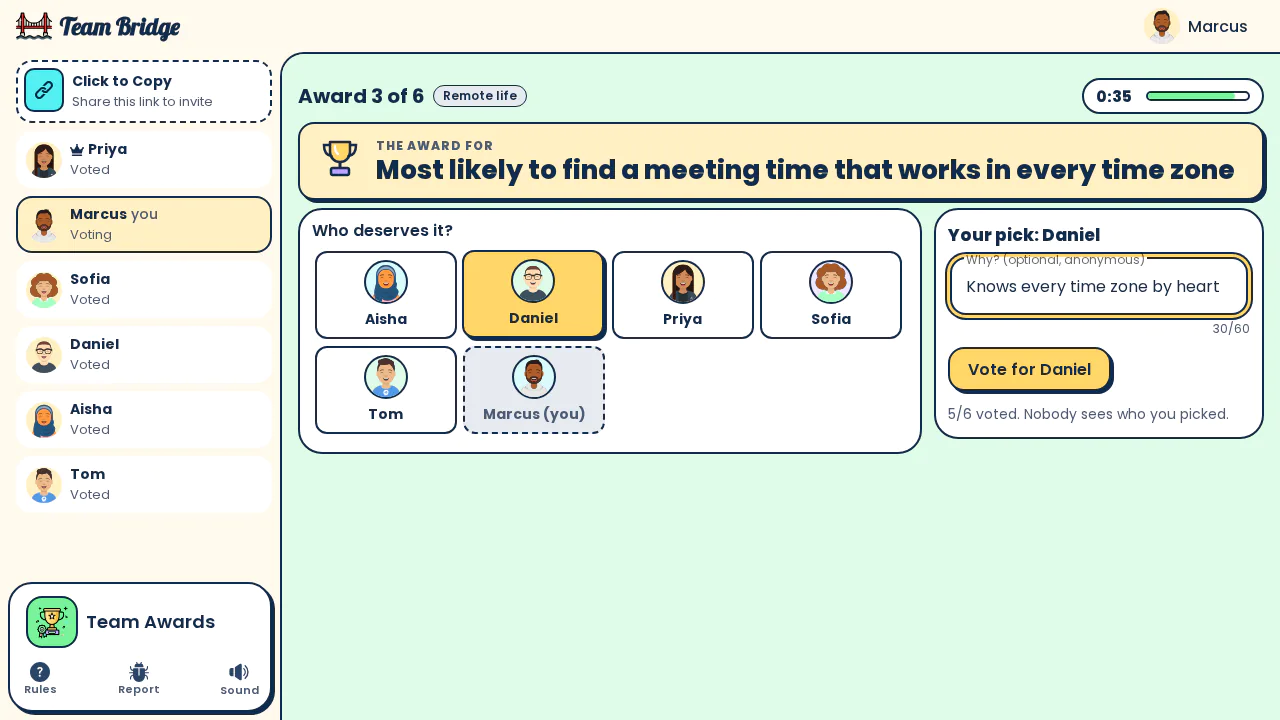
Team Awards: Marcus votes for Daniel and adds an anonymous reason: “Knows every time zone by heart” 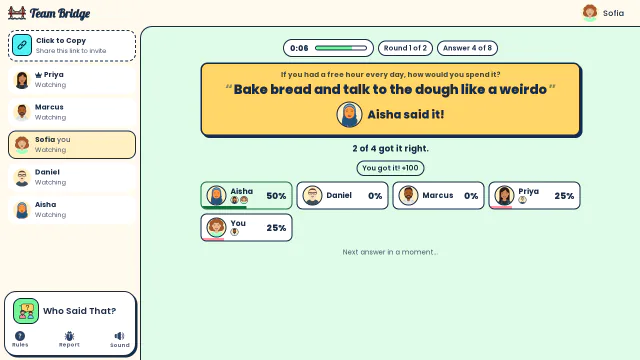
Who Said That?: The reveal: Aisha wrote “Bake bread and talk to the dough like a weirdo”, and Sofia guessed right for +100 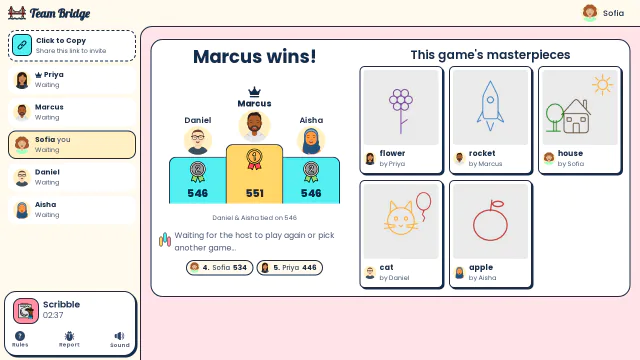
Scribble: End of the game: Marcus wins by 5 points, with every player’s drawing in the masterpieces gallery


A 45-minute appreciation call for the team
For 4 to 30 people in one room, in work hours. Nothing about couples or dating.
- 0–5 min
Join with a race: Type Racer
Paste the game link in the meeting chat. One typing race while people join.
- 5–17 min
Draw: Scribble
One round of draw-and-guess with the Easy words: everyone guesses every drawing.
- 17–27 min
Kind words: Who Said That?
Your own prompts, like “What’s a small thing a teammate did this month that helped you?”. Everyone answers anonymously, then guesses who wrote what.
- 27–39 min
Appreciation awards: Team Awards
Type your own awards, split by a semicolon, like “Best at unblocking others; Calmest in a crisis; Kindest feedback”. Everyone votes with an anonymous reason.
- 39–45 min
Close
Read a few of the reasons out loud and thank the team.
Games for a team appreciation call

Team Awards
PremiumYour own kind awards; everyone votes with an anonymous reason.
 3–50 players
 8–12 min

Who Said That?
PremiumAnonymous answers to your own prompts, then guess who wrote each one.
3–30 players8–15 min
Scribble
FreeDraw-and-guess for the whole call.
3–100 players5–15 min
Spy Words
FreeTwo teams, one-word clues, 4 to 10 players.
4–10 players5–15 min
Type Racer
FreeA one-minute typing race while people join.
2–200 players1–5 min
How to run it on Zoom, Teams or Meet
1. Book a normal Zoom, Teams or Meet meeting
A 45-minute slot in work hours. Nothing to install in Zoom, Teams or Meet: no app, no admin approval.
2. Open a room a few minutes early
Sign in on teambridge.app, start the first game and copy the game link.
3. Paste the game link in the Zoom, Teams or Meet chat
Everyone opens it in a browser tab next to the call, on a laptop or a phone, and types a name. Guests don’t need an account.
4. Keep the call for talking
Everyone sees the game on their own screen, so nobody needs to share a screen. Share yours only for the final standings.
5. Start the next game from the same room
Everyone stays in the room between games, so you never send a second link.
Keep it work-appropriate
Appreciation, not romance
No questions about partners or dates, no secret admirers, no couples’ quizzes.
For everyone
Not everyone celebrates the day, and some find it hard. Call it a thank-you call, keep it optional and in work hours.
Kind and anonymous
Team Awards and Who Said That? answers are anonymous, so nobody is put on the spot.
What it costs
Nothing per person.
The free games
Scribble, Fake Artist, Spy Words, Two Truths, One Lie and Type Racer are among the free games. You can start 5 free games for the group, whoever hosts, and 1 more 6 days after the last one. A call on Scribble and Spy Words alone fits too.
Premium games
The other games come with one TeamBridge pass for the whole team, not per person; see the pricing page for today’s prices.
Only the host pays
Players join from the link with a name, no account and no card.
Questions
What are work-appropriate ways to celebrate Valentine’s Day virtually with your team?
Make it a thank-you call, not a romantic one: Team Awards with your own kind awards, Who Said That? with prompts about what people enjoy at work and a Scribble round. Paste one TeamBridge link in the Zoom, Teams or Meet chat; keep it optional and in work hours.
What awards can we give for Valentine’s Day at work?
Kind, work-safe ones: “Best at unblocking others”, “Calmest in a crisis”, “Kindest feedback”, “Best meeting snacks”. Type them as your own awards in Team Awards, split by a semicolon.
When should we hold it in 2027?
Valentine’s Day 2027 is a Sunday, so hold the call on Friday, February 12, in work hours. Galentine’s Day (February 13) is a Saturday too: at work, one appreciation call for everyone leaves nobody out.
Does it work on Zoom, Teams and Google Meet?
Yes. Paste the game link in the meeting chat; everyone plays in a browser tab next to the call, with nothing to install.
Do guests need an account or a download?
No. The host signs in and shares the link; everyone else picks a name and plays in the browser, on a laptop or a phone.
How much does it cost?
The free games cost nothing: 5 free games for the group, whoever hosts, and 1 more 6 days after the last one. The premium games come with one TeamBridge pass for the whole team, not per person; only the host pays. The pricing page has today’s prices.
Employee engagement ideasFun Friday games for remote teamsHow to play Team Awards
Ready for your next team social?
Share one link. Everyone plays in the browser.
Games to play on Microsoft TeamsOffice party gamesTeam building games for workIcebreaker games for meetingsA skribbl.io alternative for workA Gartic Phone alternative for workVirtual team triviaGames to play on Zoom with coworkersA Jackbox alternative for workPictionary on Microsoft TeamsA Kahoot alternative for team buildingFun Friday games for remote teamsA QuizBreaker alternative you play liveEnd of year team building gamesTeam building games for large groupsHoliday party games for large groupsIcebreakers for large groupsIcebreaker questions for workThis or that questions for workTeam building activities for workEmployee engagement ideasNew hire welcome gamesA virtual Family Feud-style game for workA Scattergories alternative for workA Mafia and Werewolf-style game for workA Connections-style game for work teamsA Name That Tune-style game for workA Wavelength-style game for workA Boggle-style word game for workA game like Among Us for workHoliday trivia for workChristmas Pictionary onlineHoliday icebreakers for workChristmas awards for workVirtual holiday bingo for workChristmas music quiz for workA Confetti alternative you host yourselfA Games for Work replacement for TeamsA Water Cooler Trivia alternative, played liveCompare team building options